Custom takeout containers should fit the menu portion, the packing station and the way an order travels. Golden Sleeve’s square paper containers offer a wide opening and flush-stacking design, with 17, 25 and 34 oz capacities and custom exterior printing. These features support a coordinated meal program for restaurants and takeaway operators. Request samples and a container quote with your portions, quantities and delivery ZIP code.
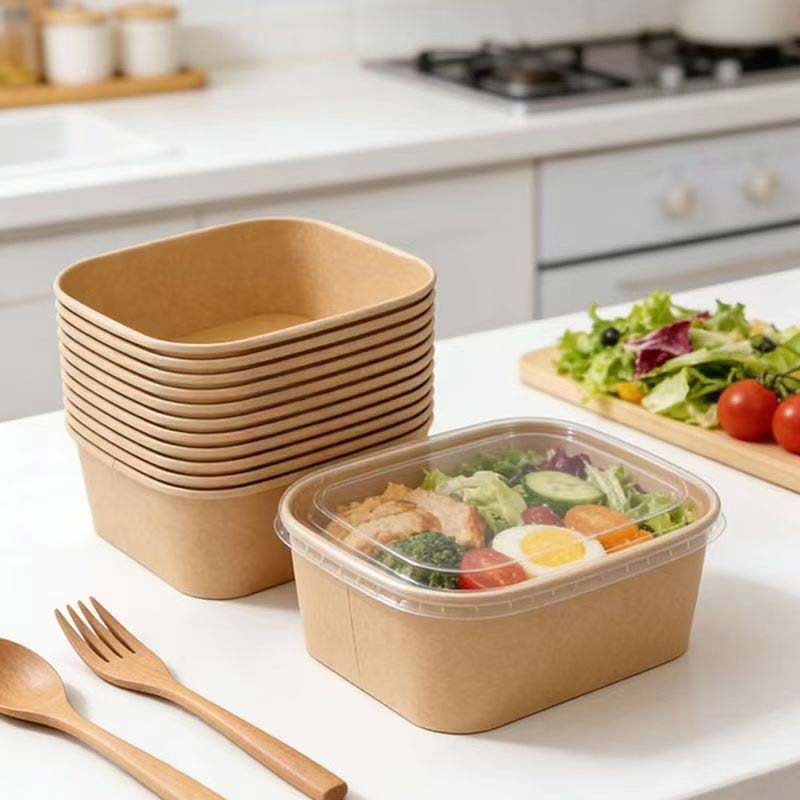
Table of Contents
1. Specify custom takeout containers from actual meals
Put the finished meal into samples before selecting a capacity. Compare the space around the ingredients and the room above toppings. A bulky salad and a compact side may need different formats even when their serving weights are similar.
Golden Sleeve lists 17, 25 and 34 oz on its square container product page. Use those capacities to shortlist the samples you want. Record the meal and approved size together so the purchasing team can repeat the same choice at another location.
2. Make the wide opening work at the packing line
A wide opening gives staff access across the top when arranging ingredients. Run a short trial with the utensils and portions used on the line. Observe whether employees can place the meal neatly while leaving enough room for the intended closure.
For custom takeout containers, the sample review should include the employee who packs the meal. Ask where an ingredient catches or spills during assembly and whether the bowl or box needs to move between stations. Adjust the packing arrangement and repeat the trial before final approval.
3. Evaluate flush stacking during pickup
Golden Sleeve identifies flush stacking as a feature of the square format. Try the intended stacking arrangement with filled and closed samples at the pickup counter. Ask the supplier for guidance on the selected closure and loading arrangement.
Check whether staff can pick up one order without disturbing nearby meals. Put the same samples into the intended bag and follow a representative collection route. Record any movement, change in presentation or closure problem so the supplier can review the full setup.
4. Prepare branding for each container size
Request the dieline for every size of custom takeout containers in the program. Check logo orientation on the side walls and make room for order labels where staff use them. Review the design after filling and closing the sample.
If several stores share a brand, keep the same artwork approval process while recording size-specific files. A design for the 17 oz format may need a different layout on 34 oz. Store the approved proofs with the product reference so future orders use the correct version.

5. Compare complete order quantities
The product page presents each square format on a 300-unit basis. Confirm the pack quantity and closure arrangement on the quote for your order. Forecast each capacity separately from the menu mix so a slow-moving size does not tie up the same storage space as the main format.
When asking for custom takeout containers pricing, include your monthly usage estimate, initial order quantity and destinations. Ask the team to identify which costs cover printing, any applicable setup and delivery. Use the same scope when comparing your options.
Request samples for your meal program
Send the menu portions, candidate capacities, artwork requirements and delivery ZIP code to Golden Sleeve. Include the planned closure and a target date for the rollout. Discuss bulk container pricing and samples with the US team using the meals your staff will actually pack.
Find the Golden Sleeve office in San Mateo, California on Google Maps.